

Integrate the Photoshop plug-in to gain access to deeper customization tools for such image parameters as dynamic range and adaptive exposure, HDR effects, sharpness, shadows and highlights, color scheme and separate colors, etc. Detail enhancement is possible.
Topaz Adjust is a plug-in for photo editing programs.
The installation of the plug-in is simple but a small disadvantage might be the fact that you have to manually add it to the Plug-in folder of the photo editing program.
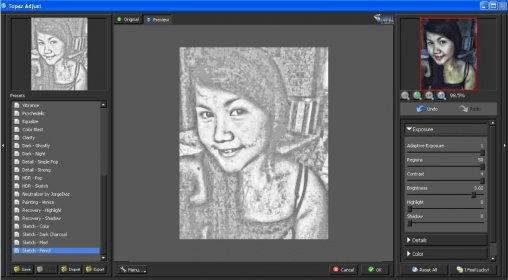
The number of supported effects is pretty big, and this makes it highly likely to find and apply exactly the effect that you need.
All the changes you make to the picture can be previewed in the center of the window and you also have access to more adjustment options in the right corner.
Some of the available effects are quite impressive but most of them are pretty common and are also provided by other image editing programs as well.
The changes to the photos can be made easily, therefore with just a few click you can quickly obtain very dramatic adjustments and you don't need too much experience to do it.
Summing it all up, this plug-in can be used to obtain many different changes without too much effort and in less time. Therefore, the photo editing becomes easy with its help.






Comments (1)